Progress photo tracker for iPhoneThen & Now
See how far you've come.
Track your transformation with photos and measurements. Compare your progress over time, all private and on-device.
How It Works
Three simple steps to track your progress
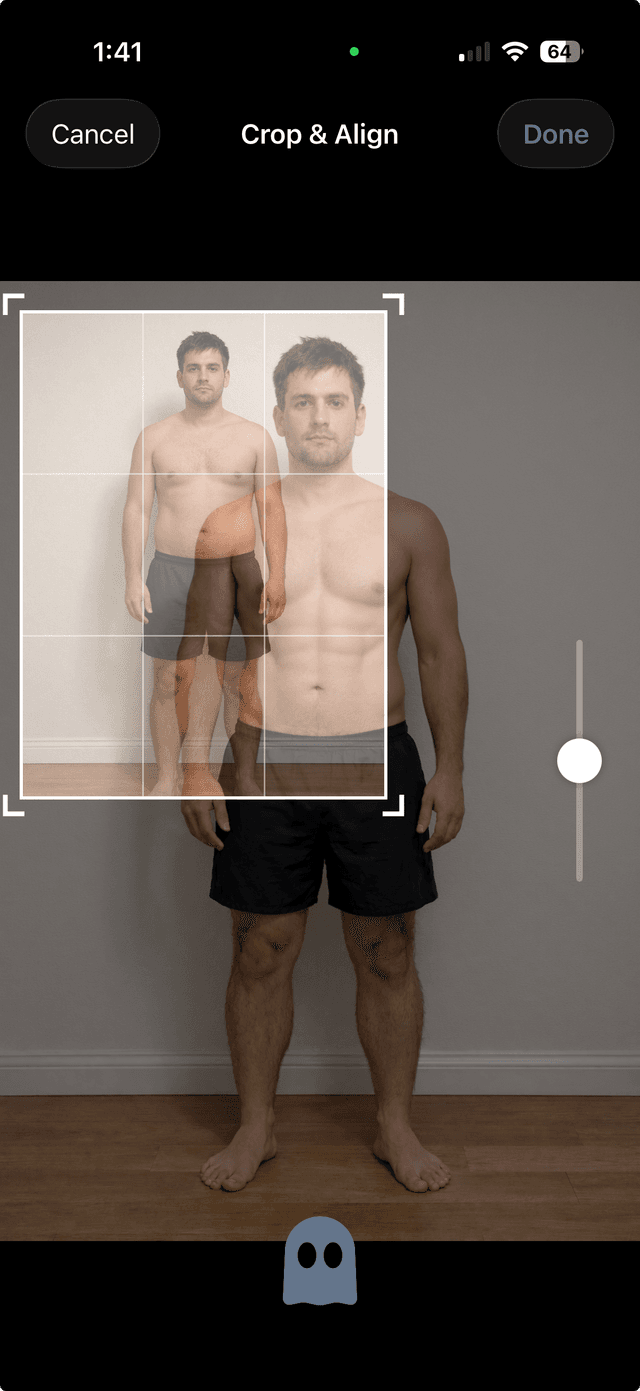
1Capture
Take progress photos with ghost overlay alignment to match your pose every time.
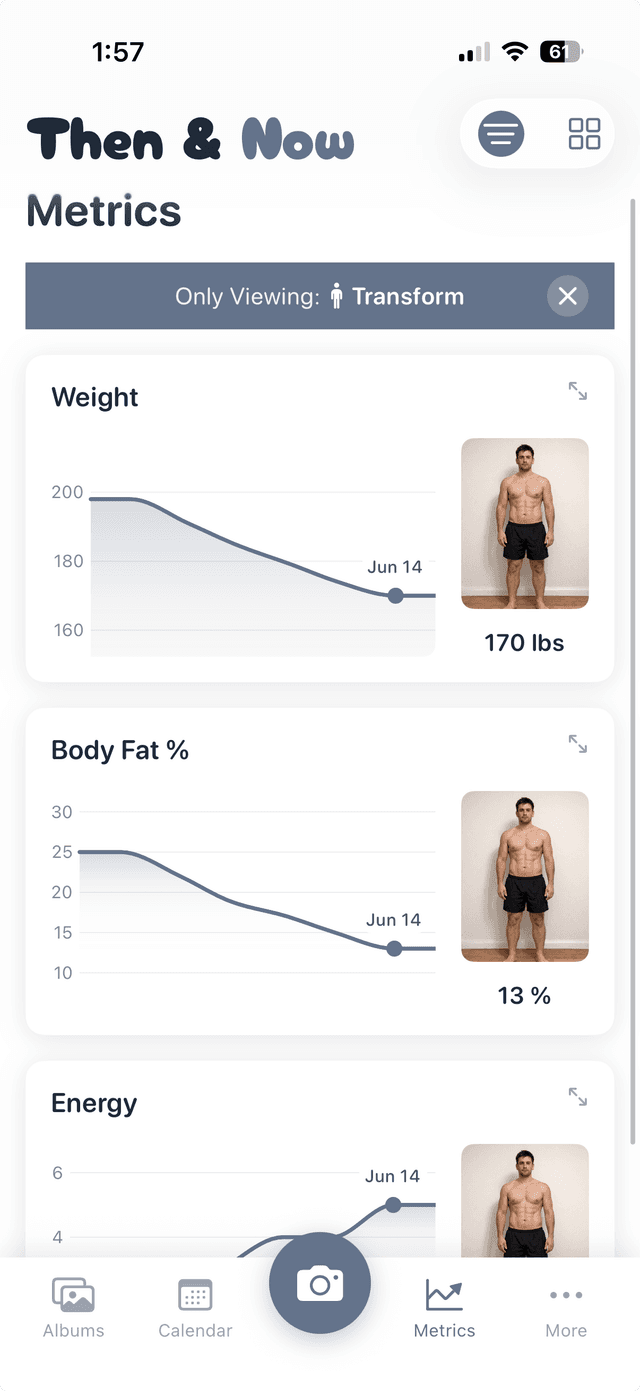
2Track
Log metrics and measurements alongside your photos to see the full picture.
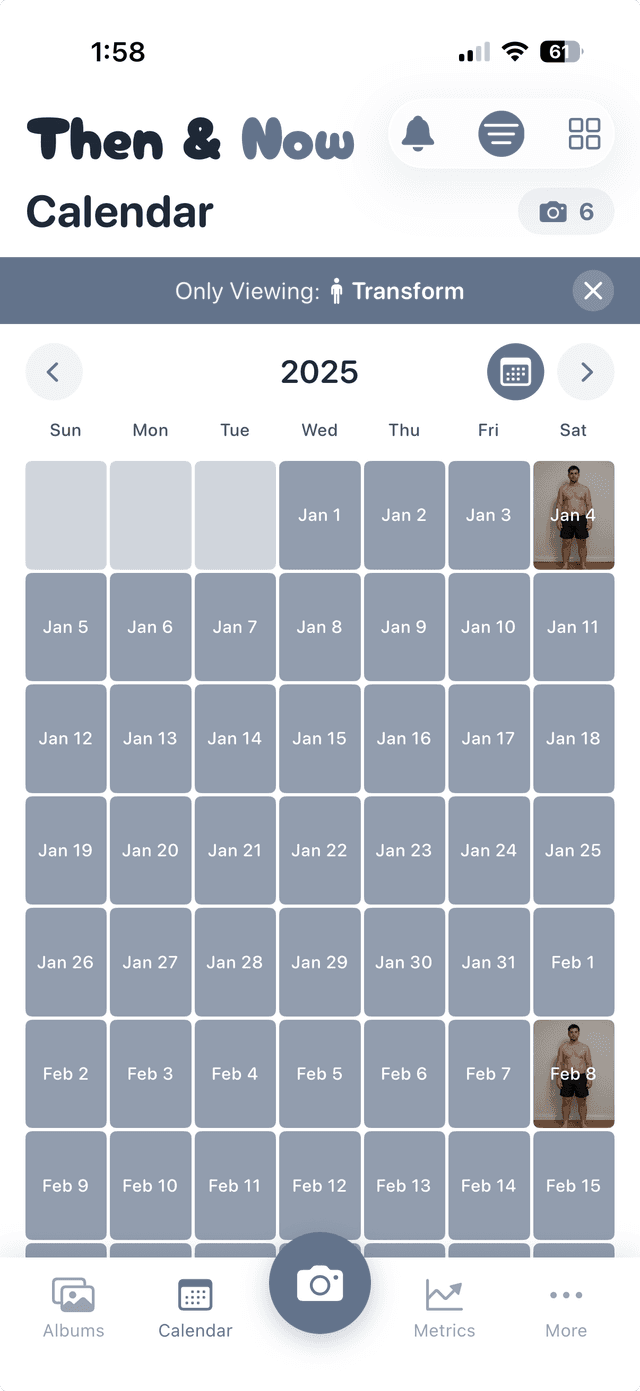
3Log
See your entire history on a visual calendar and watch your consistency build over time.
Every Angle of Your Progress
Three ways to see your transformation
Timelapse
Watch your journey unfold as an animated sequence of every photo.


Slider
Drag to reveal the difference between your before and after.
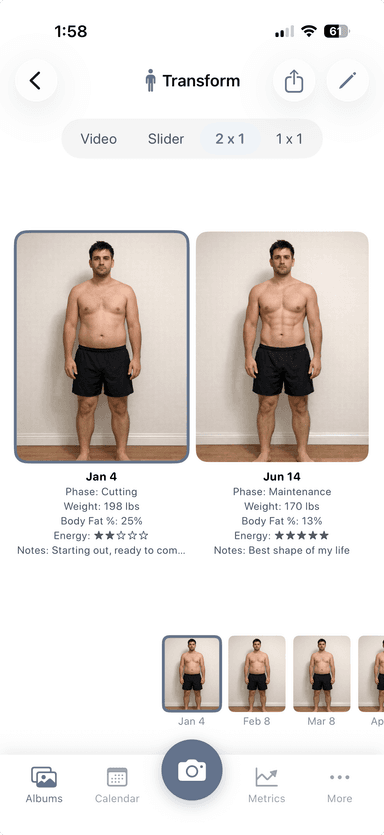
Side-by-Side
Compare then and now with two photos placed next to each other.
Timelapse
Watch your journey unfold as an animated sequence of every photo.
Slider
Drag to reveal the difference between your before and after.
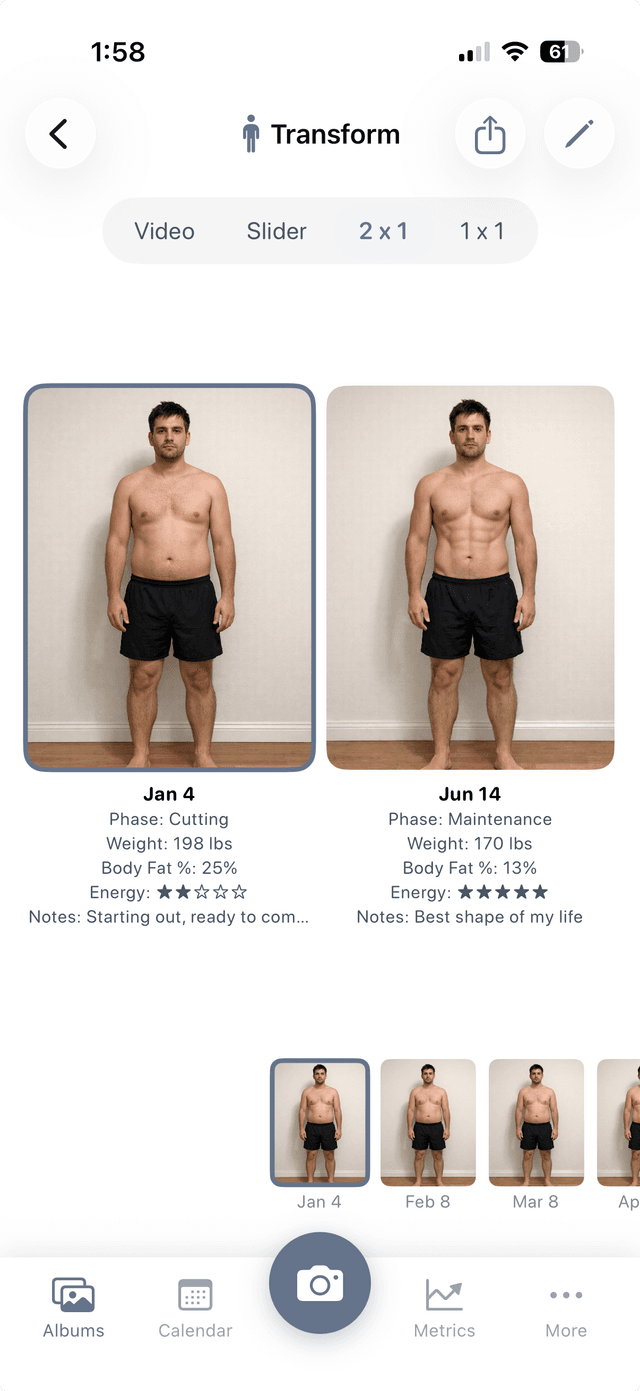
Side-by-Side
Compare then and now with two photos placed next to each other.
Features
Everything you need to track your progress
Side-by-Side & Slider Comparisons
Place photos next to each other or drag a slider across to reveal your transformation.
Metrics & Measurements
Track weight, body measurements, or any custom metric alongside your photos.
Ghost Overlay & Voice Timer
Align your pose with a ghost of your last photo. Hands-free capture with voice commands.
Private Albums with Face ID
Lock sensitive albums behind Face ID or Touch ID. Your photos, your privacy.
iCloud Sync Across Devices
Seamlessly sync your albums, photos, and metrics across all your Apple devices.
Smart Reminders
Set custom schedules so you never forget to take your progress photos.


Themes
Eight accent colors, each in light or dark. Tap one to see it on this page.
Pricing
Every feature is free. Premium removes the limits.
Free
$0
- Every comparison mode, including timelapse
- Metrics and measurements tracking
- Private album locking
- Ghost overlay and voice timer
- Up to 99 photos a week
- Exports include a small watermark
No account needed.
Premium
Monthly
$4.99
per month
Annual
Best value
$29.99
per year
About $2.50/mo
Lifetime
$99.99
pay once, yours forever
- Everything in Free
- Unlimited photos
- Watermark-free exports
- Priority support
Then $29.99 a year. Cancel anytime before the week ends.
Prices in USD. Subscriptions are managed in your Apple ID settings.
Questions
What photo comparison modes are available?
Then & Now offers three comparison modes: Side-by-Side places two photos next to each other, Slider lets you drag a divider across overlapping photos to reveal the before and after, and Timelapse creates an animated sequence from all your progress photos in an album.
What is the ghost overlay and voice timer?
The ghost overlay shows a semi-transparent version of a previous photo on your camera viewfinder, helping you match your pose and position for consistent progress photos. The voice timer uses voice commands and a countdown timer so you can take hands-free photos, perfect for full-body shots.
Is my data private?
Yes. Then & Now stores all data locally on your device. We don't collect analytics, use advertising trackers, or have access to your photos or personal information. If you enable iCloud sync, your data is stored in your personal iCloud account, and we still can't see it.
How does iCloud sync work?
When iCloud sync is enabled, your albums, photos, and metrics are automatically synced across all your Apple devices signed into the same iCloud account. Sync happens through Apple's CloudKit. Your data goes directly to your iCloud account, and Mahalo Mochi never has access to it.
Are there limits for free users?
Free users can store up to 99 photos per week. Exported images from free accounts include a small watermark. Every feature is included for free. Upgrading to premium removes the photo limit and the watermark.
How do I manage or cancel my subscription?
Open the Settings app on your iPhone, tap your name at the top, then tap Subscriptions. Find Then & Now in the list to manage or cancel your subscription. You can also manage subscriptions through the App Store app under your account settings.
From the blog
How to Take Progress Pics That Actually Show Your Results
Most progress photos are useless because the angle, lighting, or distance changes every time. Here's an 8-step guide to taking progress pics you can compare.
Read the guide →7 Best Progress Photo Apps in 2026
I tested 7 progress photo apps for tracking body transformations. Here's how they compare on features, privacy, and pricing.
Read the guide →